

Advanced Filter
URL to domain conversion is the process of extracting a clean domain name from a full website URL. Instead of working with long, complex links that include protocols, paths, and parameters, this method helps you isolate the actual domain or root domain quickly and accurately. It is widely used in SEO, data cleaning, backlink analysis, and outreach workflows. A typical URL contains multiple components such as protocol (https://), subdomain (www), domain name, path, and query strings. For example, a single URL may include tracking parameters or deep page paths that are unnecessary for analysis. URL to domain conversion strips away these extra elements and leaves you with the core Domain Name.
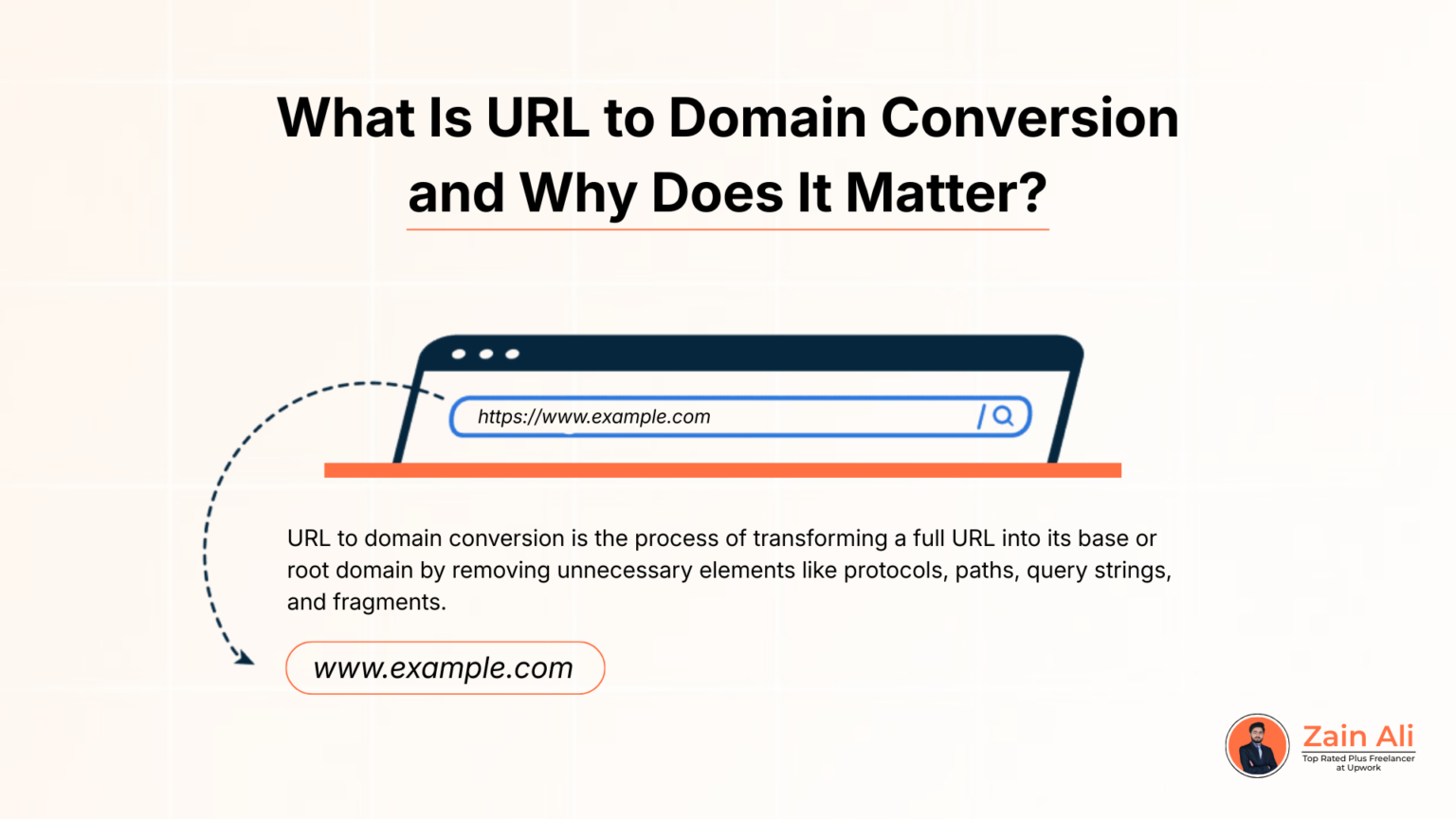
URL to domain conversion is the process of transforming a full URL into its base or root domain by removing elements like protocols, paths, query strings, and fragments. This helps standardize data and ensures you work with clean domain-level information instead of cluttered URLs that can distort analysis and reporting.
A URL can contain many variable components such as /blog/post-name, tracking parameters, or session IDs, even though they all belong to the same website. When treated separately, these variations create inaccurate and messy datasets. URL to domain extractor conversion normalizes all these variations into a single domain reference, improving consistency and reliability in data processing.
This process is especially important for SEO tasks like backlink analysis, where identifying unique referring domains is more valuable than counting multiple URLs from the same site. It’s also essential for outreach lists, competitor research, and disavow file preparation. Beyond SEO, clean domain data improves automation, deduplication, filtering, and integration into spreadsheets or scripts, turning noisy URL data into actionable insights.
Understanding the difference between URL-to-domain, root domain, and subdomain is essential for accurate SEO analysis and data processing. Although these terms are often used interchangeably, each represents a different level of a website’s structure, and confusing them can lead to inaccurate reporting or poor SEO decisions.
A URL (Uniform Resource Locator) is the complete web address that includes multiple components: protocol, subdomain, domain, path, and parameters.
Example:
https://blog.example.com/articles/post?ref=123
This full URL points to a specific page, but treating every URL as unique can fragment data when all pages belong to the same website.
The root domain is the primary, registrable domain name, such as example.com. It represents the core identity of a website within the DNS. In SEO, root domains are commonly used for backlink analysis, disavow files, and domain-level reporting because they consolidate all URLs under one main entity.
A subdomain is a prefix added to the root domain, such as blog.example.com or shop.example.com. Subdomains often host separate sections or services and may be treated as independent properties by search engines. In SEO workflows, you may keep subdomains for section-specific analysis or remove them for domain-wide insights. Typically, URL-to-domain conversion targets the root domain, but advanced use cases may preserve subdomains when they function as distinct websites.
To correctly perform URL-to-domain conversion, it’s important to understand how a URL is structured and which components should be kept or removed. A URL is not just a domain; it’s a combination of multiple technical parts that serve different purposes. A standard URL is made up of:
When converting a URL to a domain, the goal is to strip away everything except the meaningful domain portion. In most SEO and data-cleaning use cases, this means extracting the Root Domain, such as example.com, while removing paths and parameters that create duplication. Understanding domain components is especially important when handling large datasets. For example, URLs with different tracking parameters still belong to the same domain and should be treated as one entity. Similarly, deciding whether to keep or remove subdomains depends on whether they represent separate properties. By understanding URL structure and domain components, you can confidently extract clean, accurate domain data, ensuring reliable analysis, deduplication, and automation in SEO and data workflows
Converting a full URL into a clean domain is easiest and most accurate when using a dedicated URL to domain convertor tool. These tools automatically remove unnecessary components like protocols, paths, query parameters, and fragments, leaving you with standardized domain-level data suitable for analysis and reporting.
The process usually starts by pasting one or multiple URLs into the tool’s input field. The tool parses each URL using standard web rules to detect the domain portion. Advanced tools can handle malformed URLs, normalize variations such as http, https, and www, and ensure all versions resolve to a consistent output, reducing duplication and errors.
Most URL-to-domain tools allow you to control the output format. You can choose to keep subdomains or convert everything to the root domain, depending on your SEO or data analysis needs. This flexibility is especially useful when analyzing backlinks, outreach lists, or competitor data. Once processed, the tool outputs a clean list of domains that can be copied, exported, or integrated into spreadsheets and SEO software, saving time and ensuring consistency at scale.
A URL to root domain converter plays a critical role in SEO and data cleaning by turning messy URL datasets into clean, domain-level data. SEO tools, crawlers, and analytics platforms often export URLs with paths, parameters, and duplicates. Without conversion, this noise can distort reports and lead to inaccurate insights.
In SEO workflows, converting URLs to domains is essential for backlink analysis, competitor research, and outreach preparation. Multiple URLs from the same site can appear as separate entries, inflating link counts and hiding true referring domains. A URL-to-domain converter normalizes these URLs, helping you identify unique domains, evaluate link diversity, and build accurate disavow or outreach lists.
Data cleaning is another major use case. URL lists from spreadsheets, logs, or scraped sources often include mixed protocols, tracking parameters, or inconsistent formats. Converting URLs to domains removes this inconsistency, making datasets easier to deduplicate, filter, and validate. Integrating a URL to domain extractor converter into your workflow reduces manual effort, minimizes errors, and improves reporting accuracy across SEO and marketing tasks.
Extracting the domain from a URL is a critical step in backlink analysis because link equity and risk are evaluated at the domain level, not at the individual URL level. Backlink tools often export thousands of deep URLs, and analyzing them without normalization can lead to misleading conclusions.
When backlinks are analyzed at the URL level, multiple links from the same website can appear as separate entries. This inflates link counts and hides the true number of unique referring domains. By extracting domains, all links from the same site are grouped together, making it easier to assess link diversity, authority, and overall backlink profile quality.
Domain extraction is especially important for toxic link analysis and disavow preparation. Search engines often expect disavow files at the domain level rather than individual URLs. Converting backlink URLs into clean domains helps identify risky sites faster, simplifies cleanup, and removes the need for manual sorting. Overall, extracting domains transforms raw backlink exports into actionable insights, improving accuracy and efficiency in audits and competitive analysis.
A bulk URL-to-domain converter is essential when working with hundreds or thousands of URLs at once. Manual conversion is slow and error-prone, especially when URLs contain mixed protocols, subdomains, tracking parameters, or inconsistent formats. Bulk tools automate this process and deliver clean, standardized domain lists in seconds.
At scale, bulk URL-to-domain conversion becomes vital for SEO audits, backlink cleanups, outreach preparation, and competitor research. You can paste large URL lists or upload CSV/TXT files, and the tool will extract root domains, remove duplicates, normalize http/https variations, and optionally keep or remove subdomains. Clean domain outputs can then be exported to spreadsheets or SEO platforms for filtering and analysis. This automation saves hours of manual effort, improves accuracy, and enables scalable, repeatable workflows for professionals handling large datasets.
Getting the domain name from a URL is not limited to online tools. You can also extract domains using Excel and automation workflows, which is especially useful when working with structured datasets from crawlers, backlink tools, or analytics platforms. This approach is popular among SEOs, analysts, and marketers handling recurring URL-based reports.
In Excel, domain extraction is typically done using text formulas that remove the protocol (http:// or https://) and trim everything after the first slash. This method works well for clean and consistent URLs. However, Excel formulas can become complex when dealing with subdomains, query strings, tracking parameters, or inconsistent formatting. For this reason, Excel-based extraction is best suited for controlled or pre-cleaned datasets.
For advanced or large-scale needs, automation tools and scripts provide greater accuracy and flexibility. Programming languages and automation platforms parse URLs according to web standards, correctly identifying root domains, subdomains, and edge cases. This is ideal for processing large files, running recurring SEO reports, or integrating domain extraction into automated workflows. Combining Excel for quick tasks and automation for scale reduces errors, saves time, and ensures consistent domain-level data across projects.
Strip URL to domain conversion is a foundational process for anyone working with SEO, marketing data, or large URL datasets. By stripping URLs down to clean root domains, you eliminate noise, reduce duplication, and gain clearer insights across backlink analysis, outreach campaigns, and disavow workflows. It turns messy, inconsistent URL lists into structured, actionable data. Whether you’re using online tools, bulk converters, Excel formulas, or automation scripts, the goal remains the same: accuracy and consistency. Understanding URL structure, domain components, and common pitfalls ensures your data reflects real websites, not inflated counts caused by paths or parameters.
Explore other helpful Tools:

Top rated Seo expert in pakistan
URL to domain means extracting the main domain or root domain from a full URL by removing protocols, paths, and parameters.
A root domain is the main registrable domain (e.g., example.com), while a subdomain is a prefix like blog.example.com.
It helps normalize data for backlink analysis, outreach, audits, and disavow files by focusing on unique domains instead of duplicate URLs.
Yes. Bulk URL-to-domain converters allow you to process thousands of URLs at once accurately and efficiently.
Excel works for simple cases, but tools or automation are better for large or complex datasets with mixed formats.